The note
A good program, written in an app that couldn't run it.
My phone's Notes app couldn't handle progressive overload, and the workout apps I tried couldn't run the program I'd written. So I designed, built and shipped Plate, an app that runs my own program and tells me exactly what to lift next.
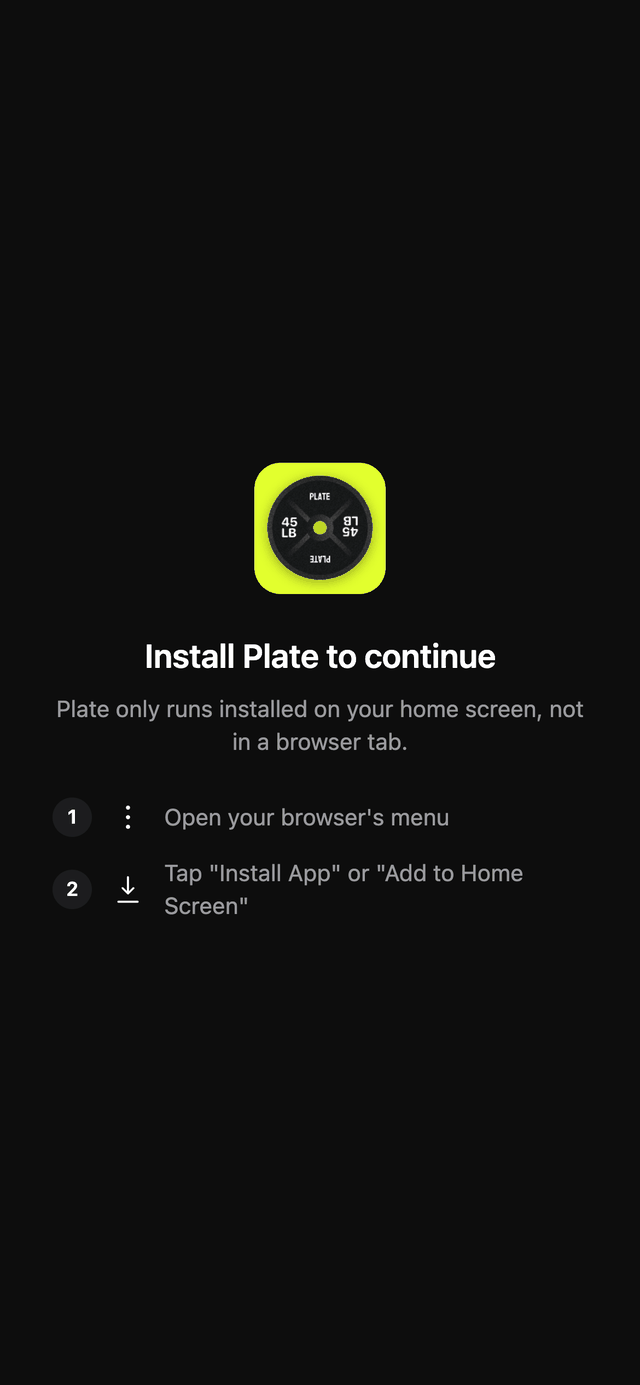
In a browser it shows install steps. Add it to your home screen to use it.
I turned the training program in my Notes app into a product I designed, built and shipped myself.
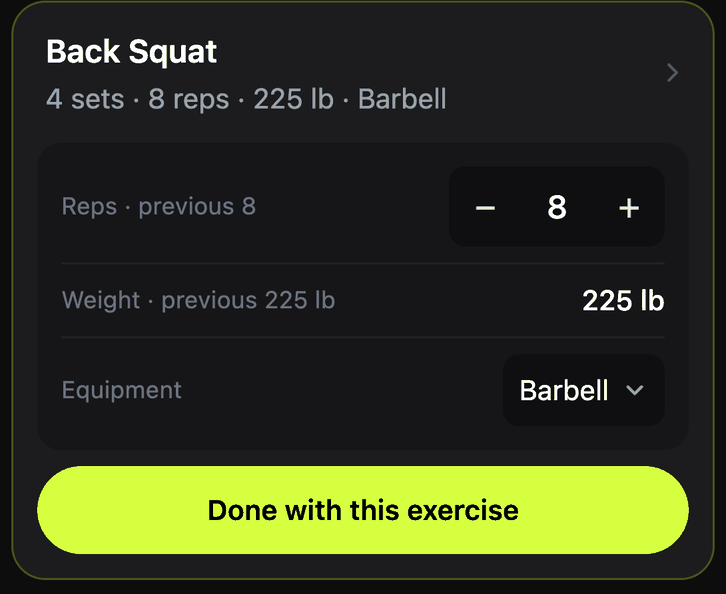
The note says what to do. Plate also shows what I did last time, sets today's target, and raises it on its own as I progress. Screen shown with sample data.
I wrote my own Push/Pull/Legs program and tracked it in my phone's Notes app. The note held the plan well. It couldn't tell me what to lift next.
Every set meant scrolling back for last session's numbers, then working out whether to add reps or weight.
I tracked which day, block and repeat I was on by hand.
The trackers I tried pushed their own plans or used calendar weeks, so they couldn't run my program or handle a missed day.
The note was a good plan: a five-week cycle of three blocks, each with Push, Pull and Legs days, 75 exercise entries in total.
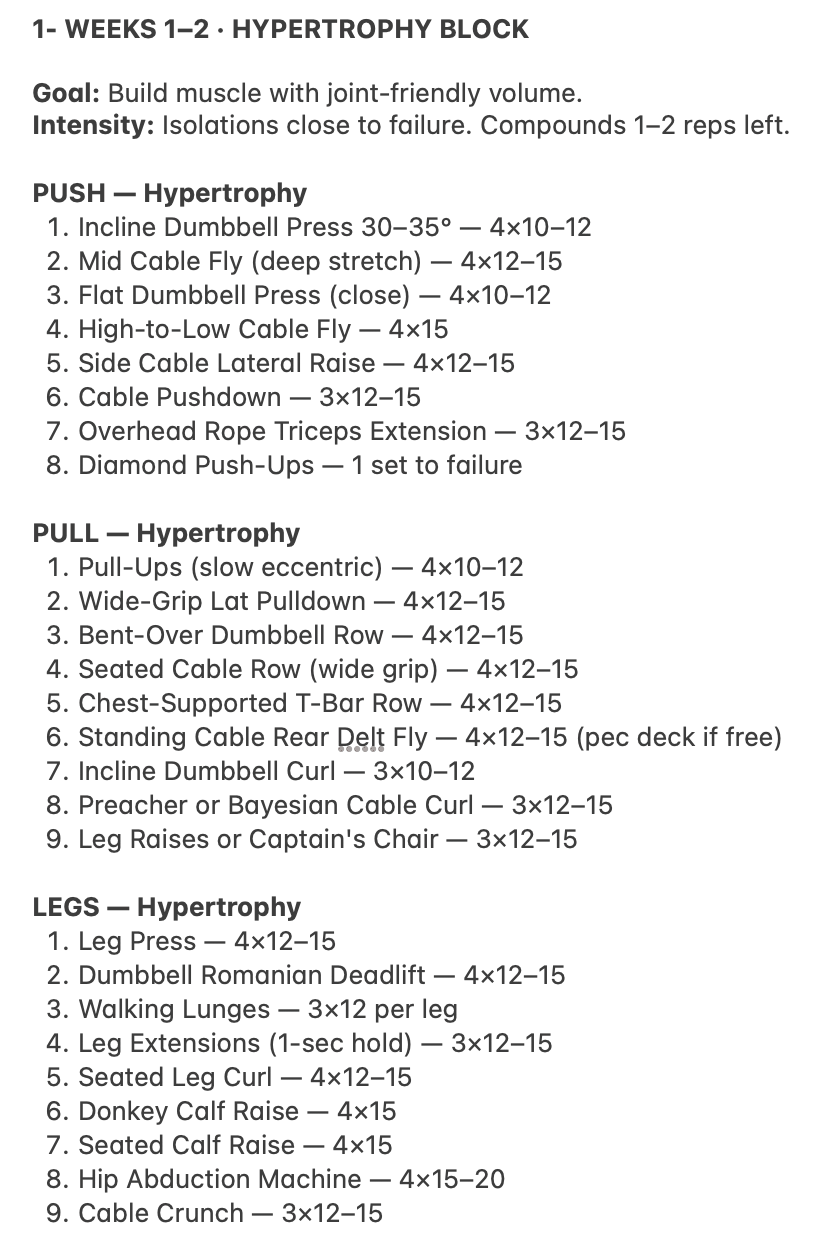
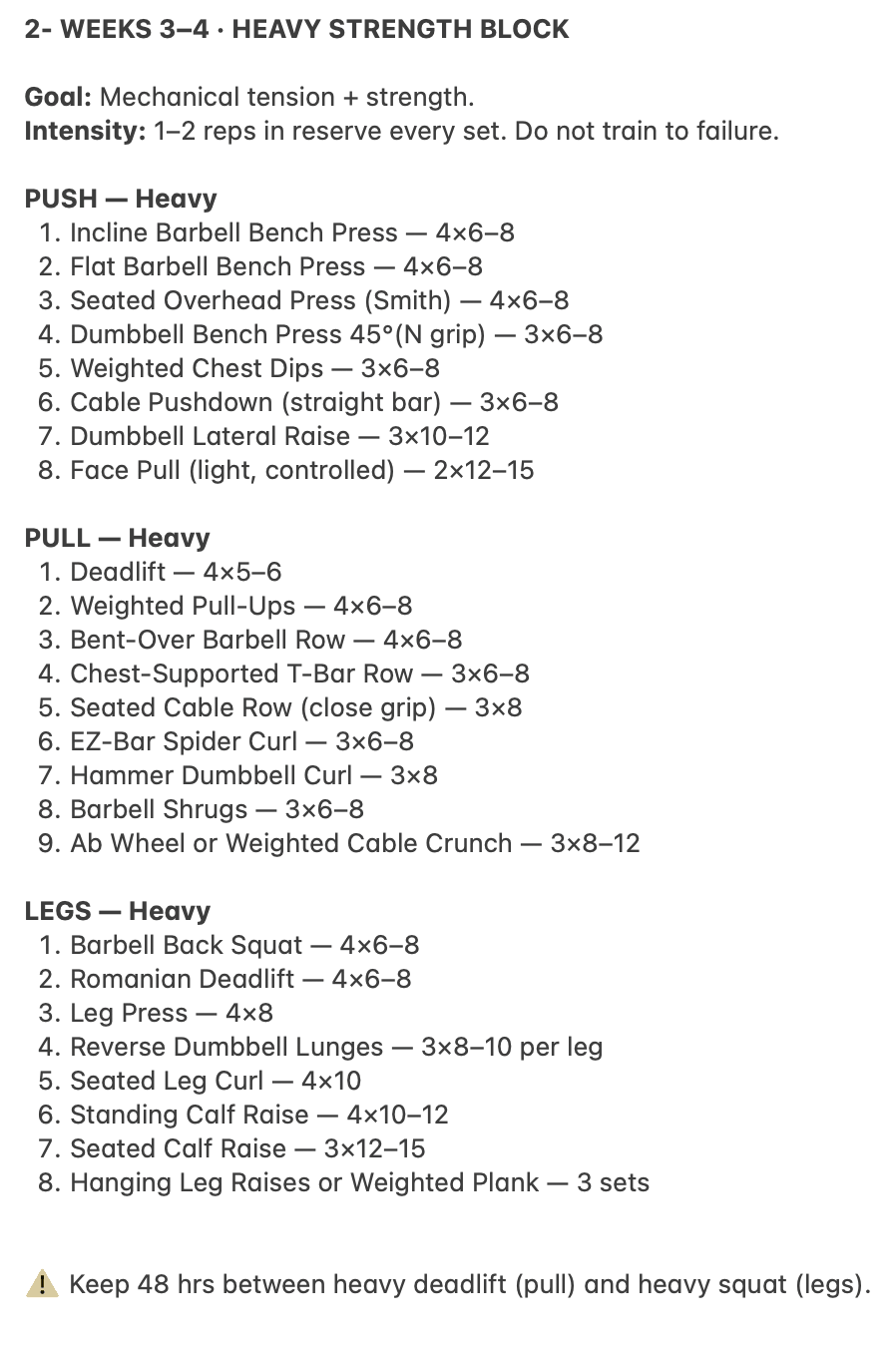
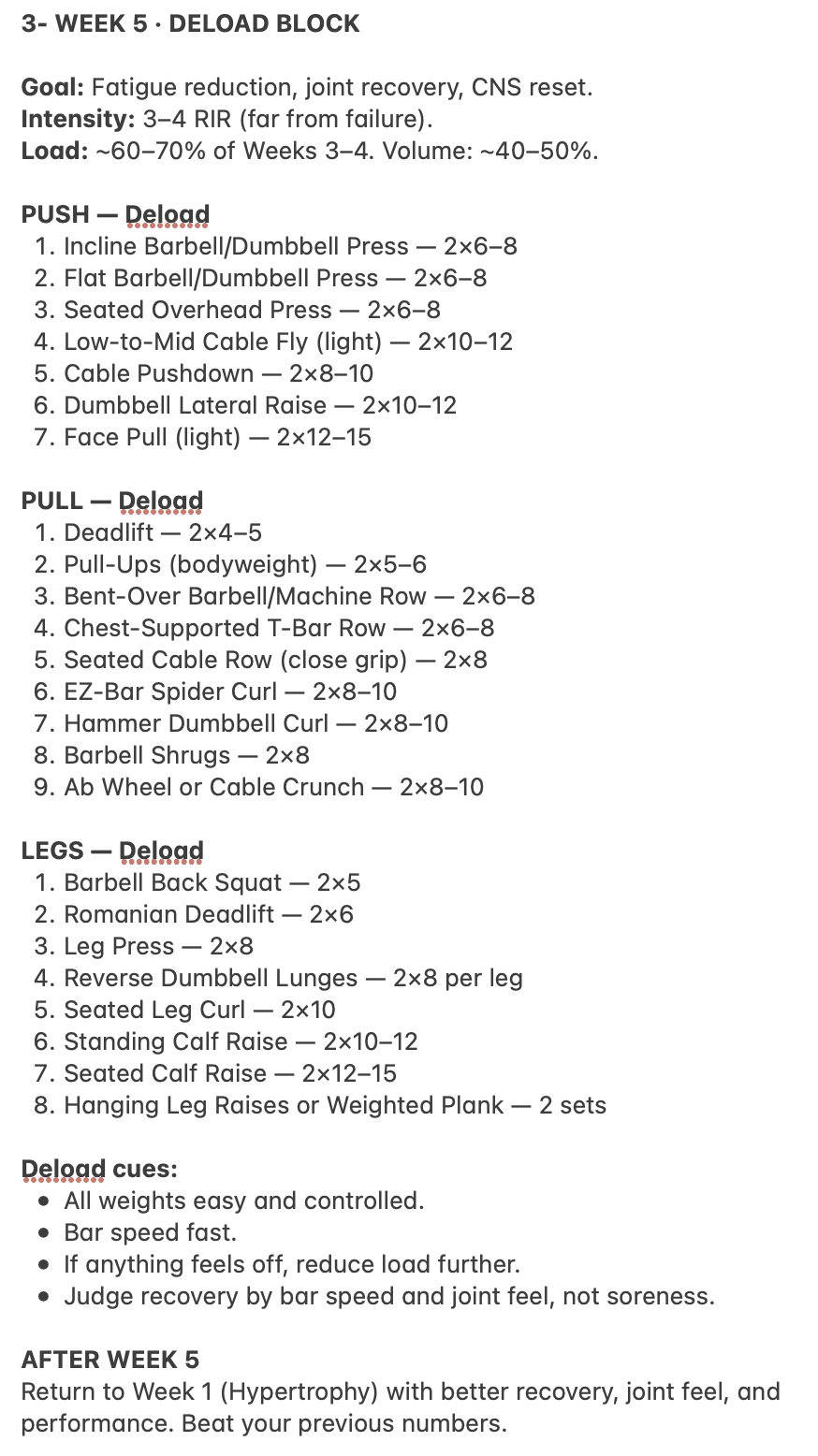
| Weeks | Block | Goal | Intensity | Exercises per day |
|---|---|---|---|---|
| 1–2 | Hypertrophy | Build muscle with joint-friendly volume | Isolations close to failure; compounds 1–2 reps left | 8–9 |
| 3–4 | Heavy Strength | Mechanical tension and strength | 1–2 reps in reserve; never to failure | 8–9 |
| 5 | Deload | Fatigue reduction and joint recovery | 3–4 reps in reserve; about 60–70% of weeks 3–4 load | 7–9 |
It ends with "Beat your previous numbers," but nowhere in it records what those numbers were. Every rep range, like 4×10–12, implies a rule (work up to 12, then add weight) that I had to apply in my head.
Plate turns my written program into editable routines and does the thinking for me. It opens on today's session, shows the target for every exercise, and raises the target automatically.
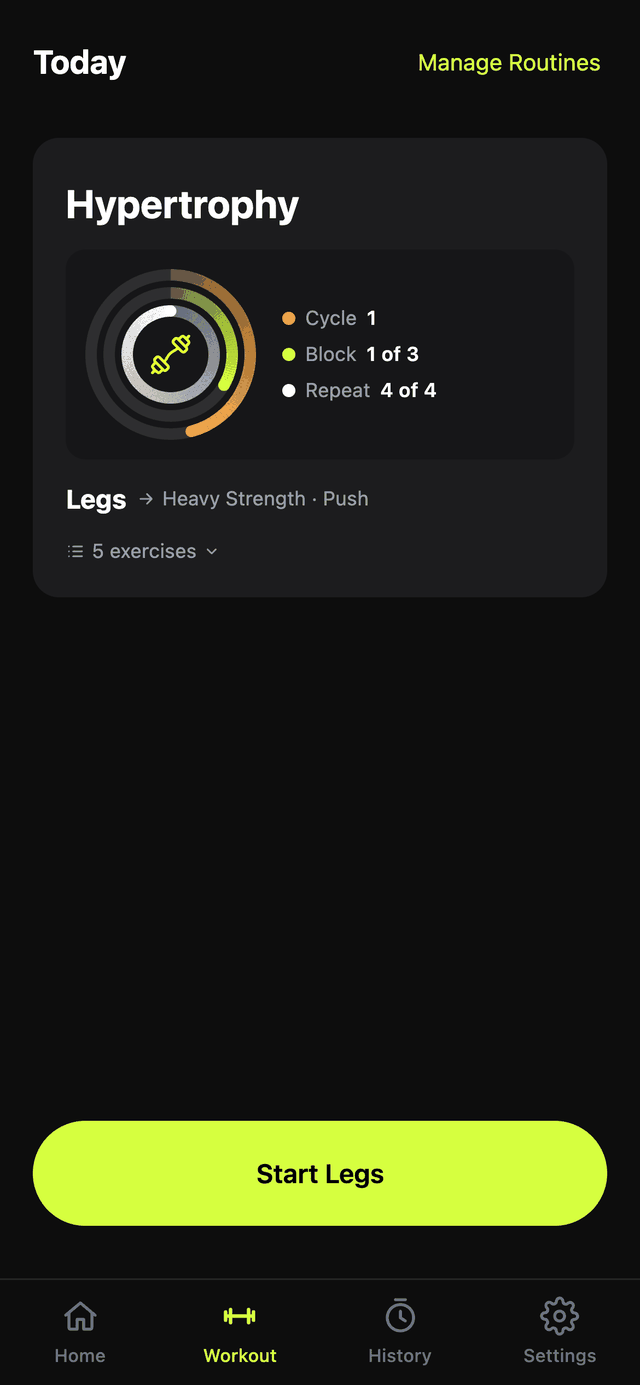
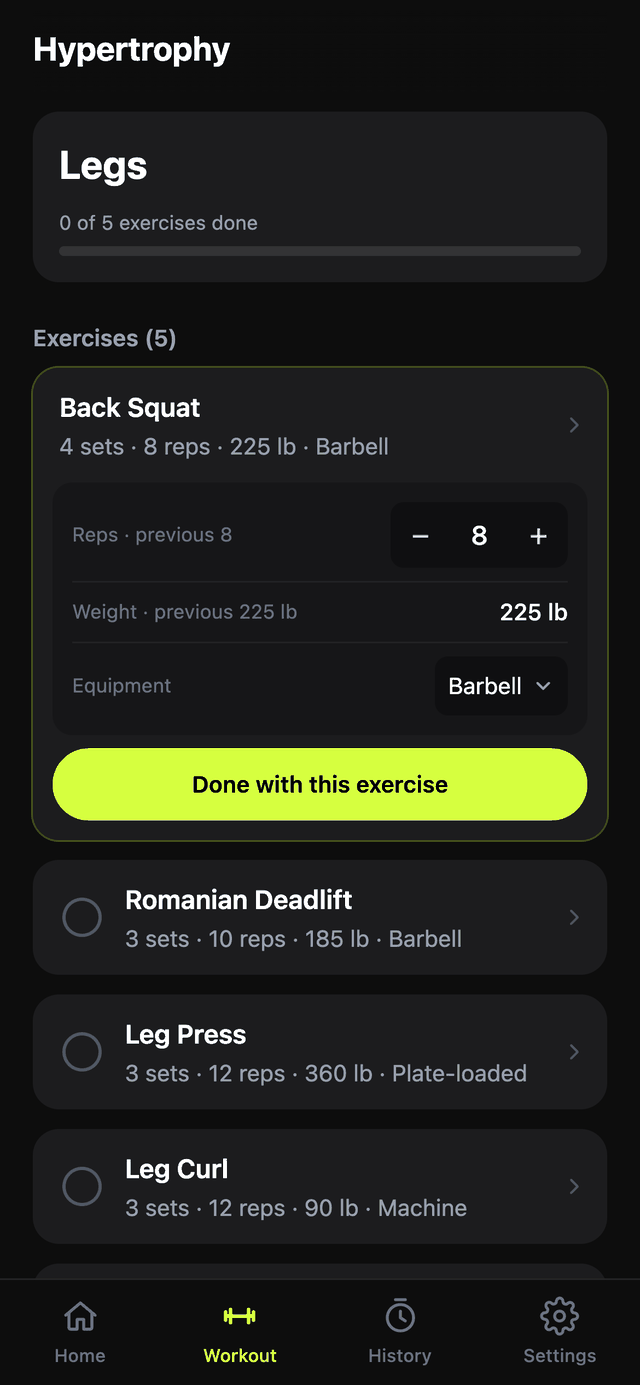
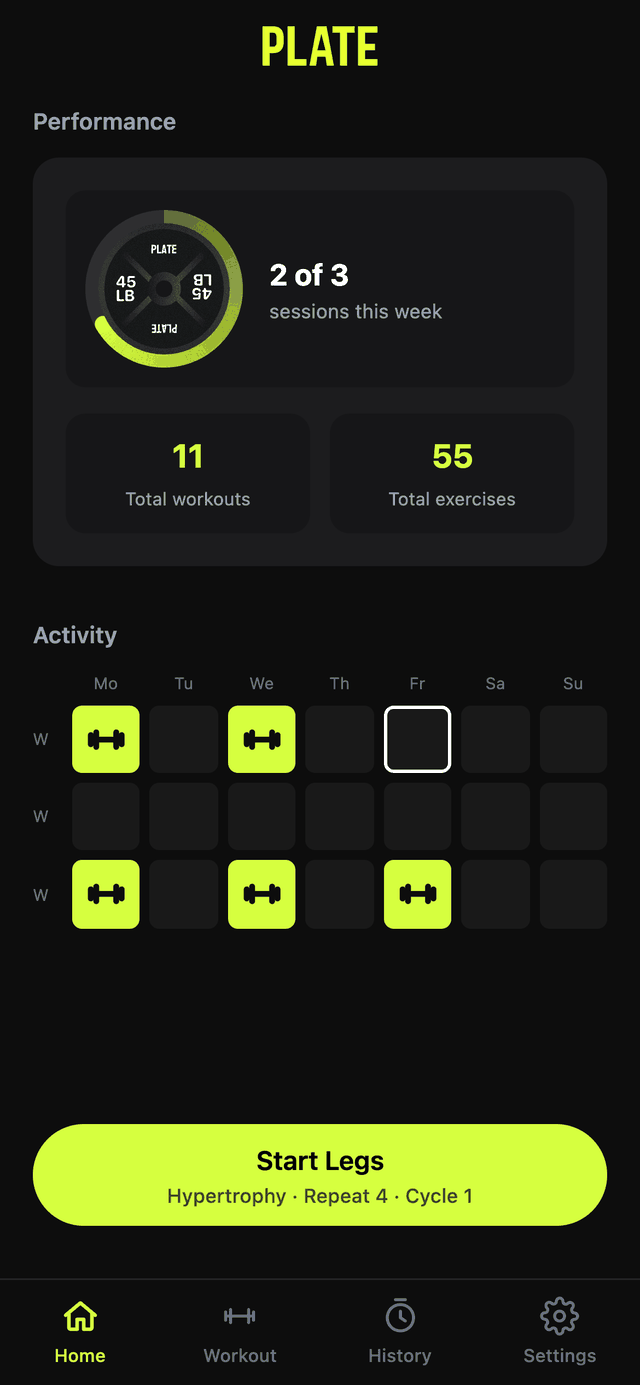
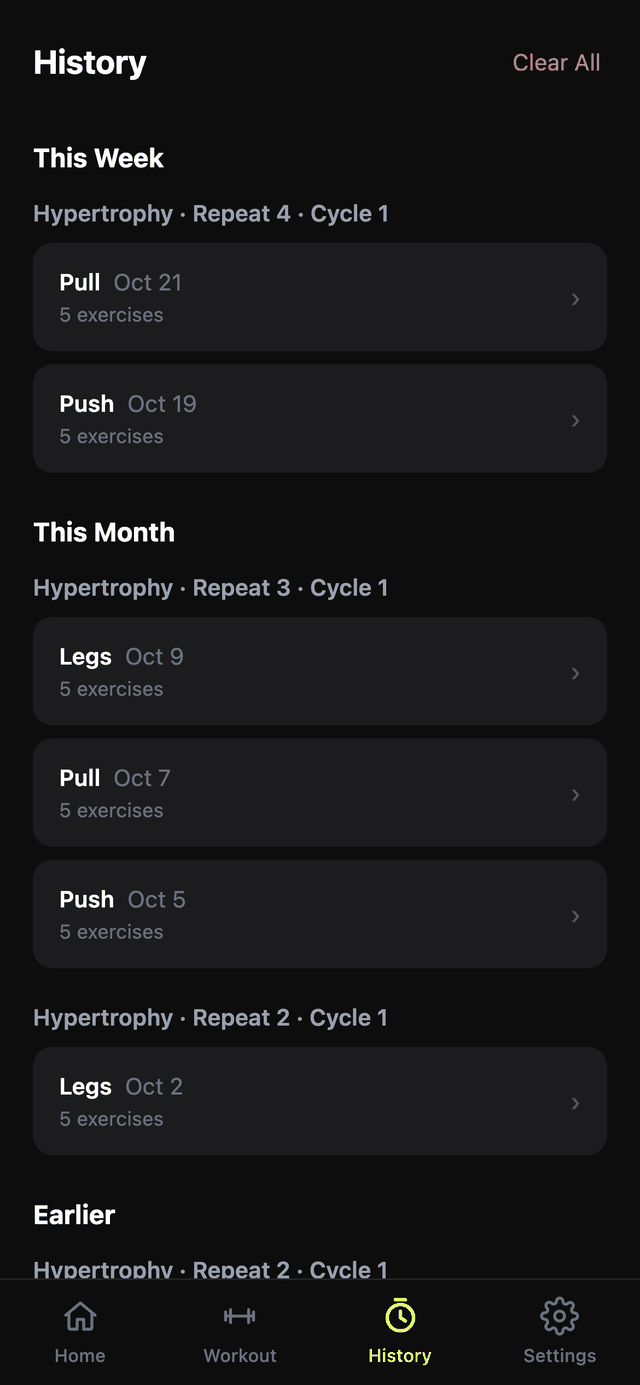
Screens shown with sample data.
Each exercise picks one. Strength adds weight every session. Hypertrophy climbs reps. Hybrid climbs reps, then adds weight and resets. Deload just logs.
Barbells step 5 lb, cable stacks 10 lb, and any exercise can override its step.
A missed day just delays the next session; nothing resets.
Nothing in the program had to change to fit the app. Each kind of line in the note maps to one thing in Plate.
Plate has no accounts and no server. Everything lives on the phone, so sharing needed its own path. Export saves everything to one dated file. Import loads that file on another phone. That's how I share my program with friends and family: they install Plate, import my file, and start on the same program I run.
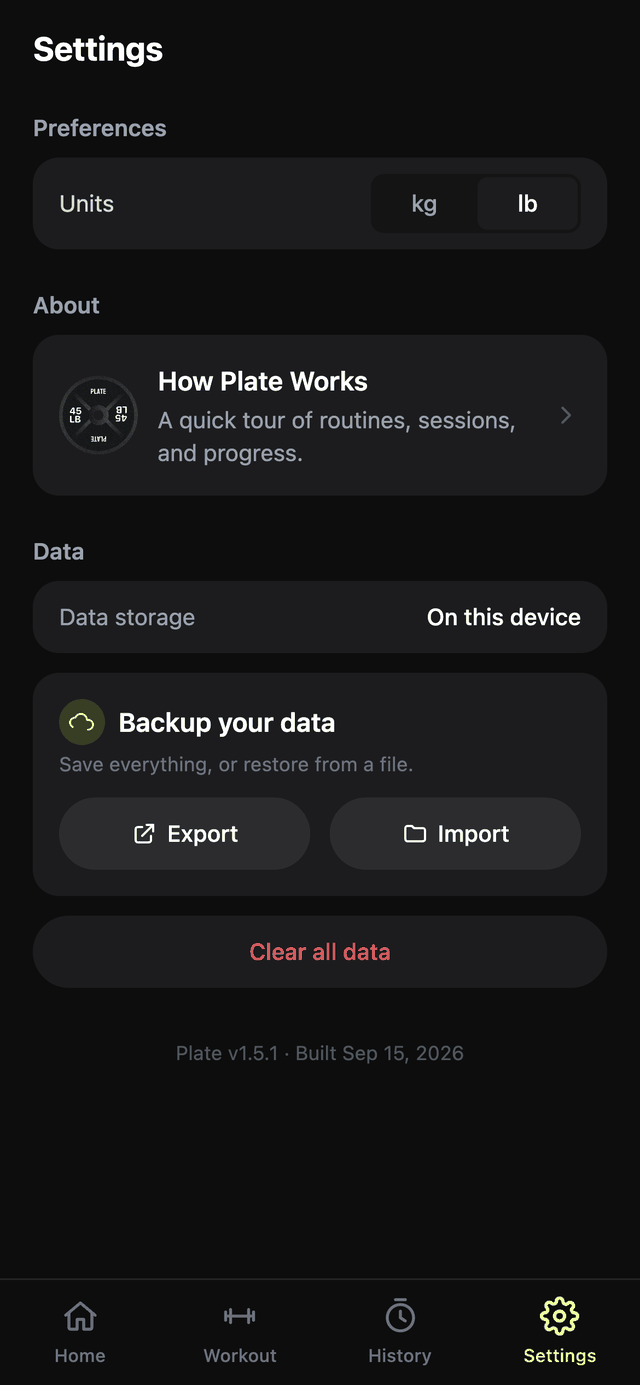
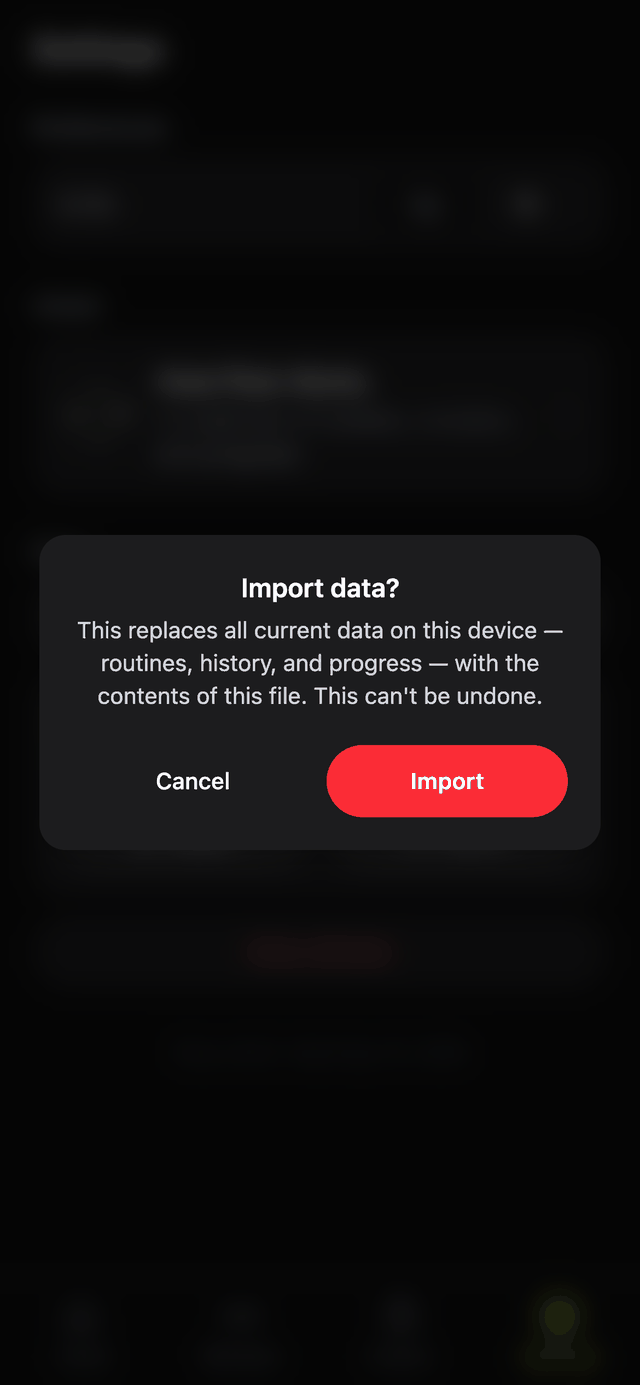
Screens captured from Plate 1.5.1 with no data loaded.
Routines, days and exercises, workout history, logged sets, each exercise's progress, the current place in the program, and the kg/lb setting.
Every routine, day and set links to the others by ID. Keeping the file's IDs intact keeps those links intact, which only works on an empty device, so Import clears first and writes everything in one transaction. A failure can't leave half-old, half-new data.
The first version of Export left out program position and the unit setting. A restore would have brought back every workout but reset the program to Week 1. Both are in the file now.
It's one full backup, not a program-only share. A file I send carries my history and progress along with the routines, and importing it replaces whatever the other phone had.
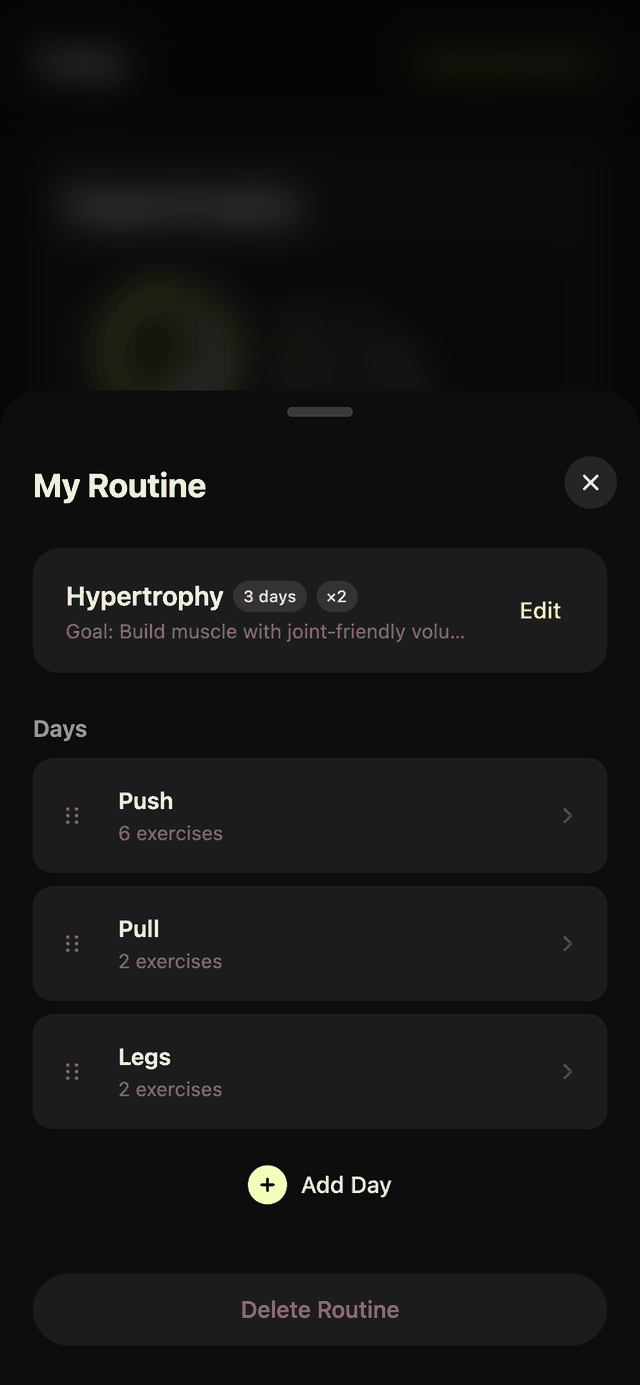
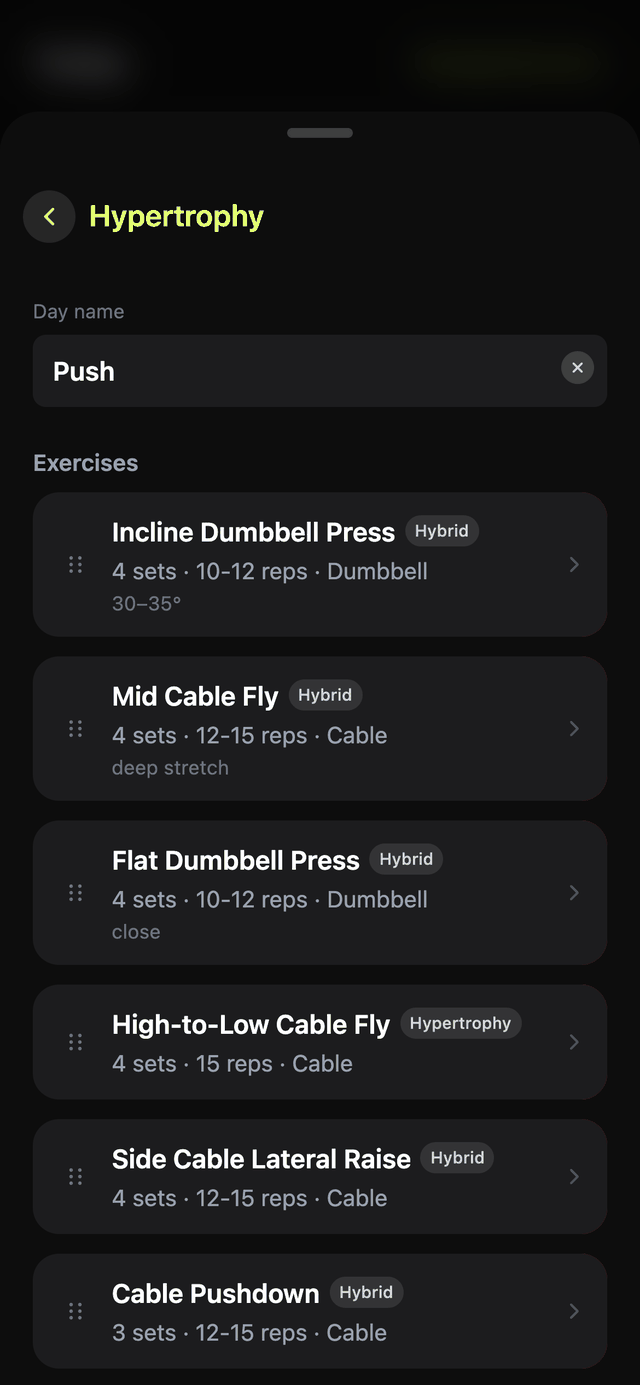
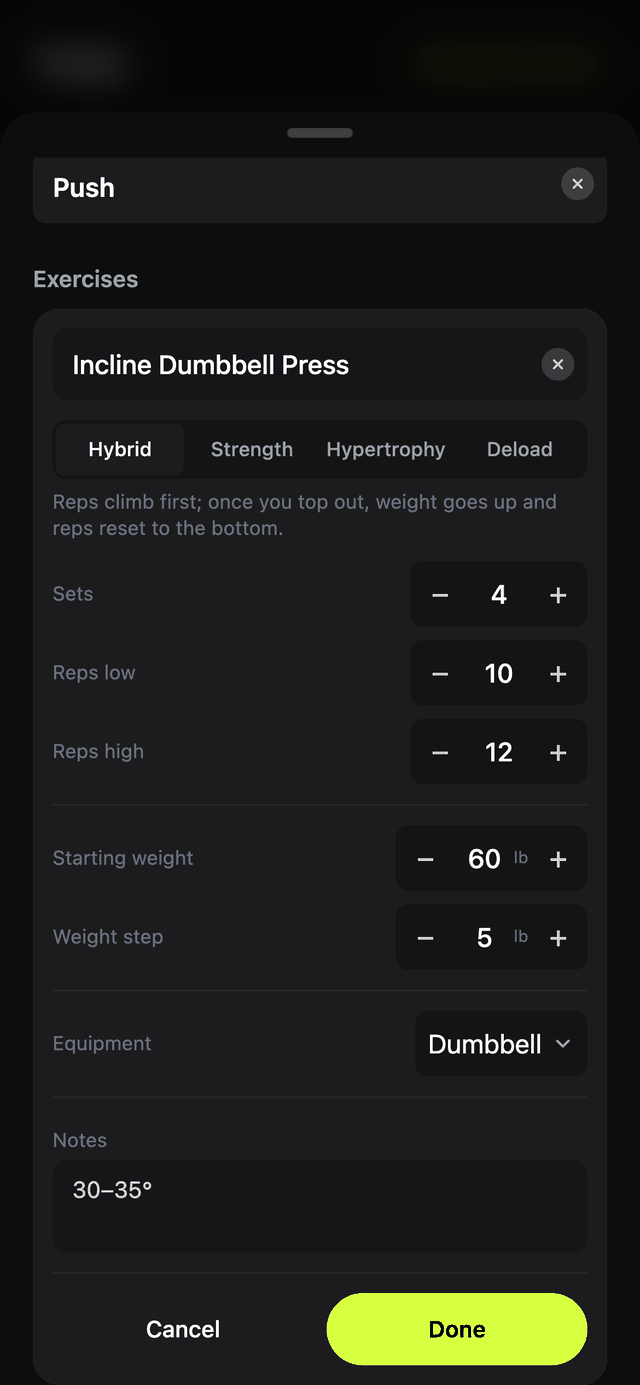
Real screens from Plate 1.5.1, loaded with a sample of my own program.
Workout opens on today's session with one clear button, like "Start Legs."
Dark screens, one lime accent, large numbers and big touch targets.
Keeping what worked and reverting what didn't.
Routine editing slides up as a sheet over the current page, so changing the program never feels like leaving the workout.
Changes to a routine stay a draft until confirmed, so the program can't be broken by a stray tap.
In a browser, Plate shows step-by-step install instructions for iPhone or Android instead of the app, because it's meant to live on the home screen.
A dev server on my home network put every change on my iPhone instantly, and I judged it there, not on a laptop.
18 design docs, one per screen, component or pattern, capture what I chose, what I rejected and why.
Bugs, gaps and polish items went onto a P0–P3 kanban board instead of getting lost.
Type checks on every change, and scripted browser tests for risky flows, run against a separate test copy so my real training data was never touched.
Plate is a TypeScript and React app with no server: data stays on the phone and it works offline. One command builds it and ships it to Cloudflare Pages, and installed copies update themselves.
TypeScript, React 19, Vite, Tailwind CSS v4, Dexie (IndexedDB), vite-plugin-pwa.
I made the product and design calls; the AI wrote and tested code to my direction.
Seven releases, 1.0.0 to 1.5.1, each with a changelog entry.
Plate replaced my Notes workflow. At the gym it tells me what to lift and how heavy, and it raises my targets as I get stronger. Friends and family run the same program by importing my file, and it all costs $0 to host.
Sharing works, but it's a full backup. A program-only export would let me send my routines without my workout history, and let a friend add my program instead of replacing everything on their phone. That's the next build.
Plate, a workout tracker built as an installable web app. Designed, built and shipped solo, with Claude Code as an AI pair for the code.